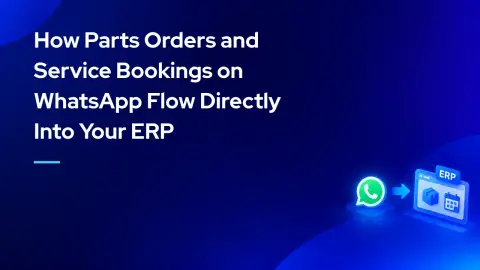

Walk into almost any Singapore distributor or service company and ask where orders really come from. Somewhere in the answer, you’ll hear “WhatsApp.” A contractor sends a photo of a worn part. A facility manager reports a pump that keeps tripping. A loyal customer types “same as last month, plus 2 more seals” at 10 pm.
Your customers love this. It’s fast, it’s familiar, and there’s no portal to log in to. Your team feels it differently. Every message has to be read, decoded, matched to the right item or asset, and typed into the ERP by hand. Some orders wait on a salesperson’s phone. Some wait until morning. Until someone keys them in, the warehouse can’t reserve stock, finance can’t check credit, and the service team can’t schedule the job.
You don’t fix this by asking customers to change. You fix it by connecting the chat to your ERP, so the channel they prefer feeds straight into the system you already run. This guide walks through how that works for both parts orders and service jobs: what to prepare first, where automation takes over, and where a person should still check. It also shows how Globe3 ERP approaches WhatsApp ordering, though the principles apply to any system.
Where orders get lost
Customers use WhatsApp because it is easy. There is no portal, no password and no form. They take a photo of a worn part, type a few words, and press send.
The hard part lands on your team. Someone has to read each message, work out what it means, and type it into the ERP. That is where things go wrong:
- Orders are typed twice. The customer types it, then your staff types it again. Every retype can bring the wrong item, amount or address.
- Customers do not use your item codes. They write "the black seal for the 50 pump". Getting the right item depends on who reads it.
- Messages wait. An order sent to someone's personal phone sits there until they are free. Nights and leave days make it worse.
- The proof lives on a phone. If a price is questioned, or a salesperson leaves, the history can leave too.
- The ERP is always a step behind. Until the order is typed in, stock is not held, credit is not checked and the job is not booked.
A web portal works for some customers, but many will stay on WhatsApp anyway. So you do not need to change your customers. You need to connect the chat they like to the system you already use.
What happens when WhatsApp connects to your ERP
Think of it as a shared inbox that does the first draft for you. It is not a robot that takes orders on its own. A person always approves before anything becomes real. Here is the journey of one message:
- It arrives. Messages come to one business WhatsApp number, not to personal phones. Text, photos, voice notes and PDFs all land in one inbox your whole team can see.
- It is matched. The system recognises the sender's number and links it to the right customer. If it does not know the number, a person decides. It never guesses.
- It is understood. AI reads the message and works out what the customer wants: a parts order, a service request, a question, or both at once.
- It becomes a draft. The ERP builds a draft order or service job using that customer's own prices, current stock, contract terms and credit position.
- A person checks it. Your staff reviews the draft. Anything the system is unsure about is flagged, so they look at the tricky lines first.
- The customer hears back. Once approved, the customer gets a confirmation on WhatsApp, in the same chat. Later updates, like delivery or a technician's arrival, go there too.
The magic is in the middle, steps 2 to 5. Without them, you have only built a faster inbox.
How it works for parts orders
Customers describe parts the way they see them, not the way your catalogue does. A good draft needs four checks before anyone trusts it.
- Match the item. The system looks at what the customer bought before, at alternate and old part codes, and at photos or past invoices. "The usual filters" usually means one clear thing for one customer. If two items could fit, the system flags the line instead of guessing. A one-line question costs far less than shipping the wrong part.
- Use the right price. Prices come from your ERP, from that customer's price list or contract, not from the chat. If a customer quotes an old price, the reviewer can see the difference.
- Show the stock. The draft shows what is in stock and when more is due. That lets your team reply "4 today, 6 on Friday" instead of "noted, will check".
- Follow the usual rules. A WhatsApp order goes through the same credit check and approval limits as any other order. A chat is not a side door.
How it works for service jobs
A service request carries more than a parts order. It also decides who pays and how fast you must respond. Four things should be on the draft before anyone sends a technician.
- The equipment. A photo of the unit's label can link the job to one installed machine in your ERP, with its past visits and faults. "The aircon in the server room" becomes a specific unit.
- The contract. The draft shows whether the job is under a maintenance contract or warranty. That changes what you can charge, and you learn it at the start, not weeks later when the invoice is questioned.
- The response time. If your contracts promise a response time, agree in advance when the clock starts: when the message arrives, or when your team confirms. A message at 11 pm still counts as received.
- The updates. The appointment, "technician on the way", "job done" and the service report can all go back in the same chat the customer started. That cuts most of the "any update?" messages.
Often one message holds both a service request and a parts order. Good intake splits it into two drafts, so nobody has to ask the sender to message twice.
What your team gains
- Less retyping. Staff review drafts instead of typing orders from scratch.
- Faster answers. Customers hear back sooner, with real stock and dates.
- Fewer mistakes. Prices, items and credit come from the ERP, not from memory.
- One shared inbox. No more orders hiding on personal phones.
- A proper record. Messages and orders are linked in the ERP, and the history stays when people move on.
- Happier customers. They keep using the app they like, and they stop having to chase.
Before you start: get four things ready
Most of the work is not the WhatsApp connection. It is the groundwork behind it.
- Your data. Link customers' WhatsApp numbers to their accounts. Add alternate part codes and replaced items to your item list. Keep price lists and contract terms in the ERP, not in spreadsheets. For service, record installed equipment by site and serial number, with contract cover.
- Your rules. Decide who reviews drafts, what they can approve, and what goes to someone senior. Examples are new customers, credit holds, price changes and urgent after-hours jobs.
- Your WhatsApp setup. You usually need the WhatsApp Business Platform, not the app on a phone. Customers can message you freely, and you can reply freely for 24 hours after their last message. After that, you need pre-approved message templates. Meta charges for some message types and has changed its pricing before, so check today's Singapore rates first.
- Your customer data care. Order chats hold names, numbers and addresses. Decide how you collect consent, use, store and protect that data, in line with Singapore's PDPA. Keep order messages separate from marketing, which has its own rules under the PDPC's Do Not Call Registry guidance for businesses.
Then start small. Pick a pilot group of regular customers and your most common parts or service calls. Run the old and new ways side by side for a while, and review flagged lines every week so the matching keeps getting better.
What to expect, honestly
Connecting WhatsApp to your ERP removes most of the retyping and shows you orders sooner. It does not replace people who know your products and customers.
In the first weeks, expect many flagged lines while the system learns how your customers talk. That number should fall as you add alternate codes and correct matches. New customers, unusual parts and complex service faults will always need a human eye.
Measure your own numbers before you start, then compare a few months later: how long it takes to confirm an order, how often you need to ask the customer a question, how many mistakes reach the shipping stage, and how many messages are still unanswered at the end of the day.
How Globe3 fits in
Globe3 ERP is a web-based system from Singapore's TNO Systems, covering finance, supply chain, projects, CRM, service and production. Its WhatsApp Ordering reads orders sent as text, photos or PDFs, matches them to your ERP records, and drafts the sales order for your staff to check before a confirmation goes back to the customer. For service work, Globe3 describes WhatsApp job updates, arrival alerts and service reports. Ask in a demo whether a service request can become a job straight from WhatsApp in your setup.
Quick questions
Do customers need a special app?
No. They keep using normal WhatsApp. The connection is all on your side.
What if the AI misreads an order?
Nothing becomes real until a person approves it. Unsure lines are flagged, so your team can fix them or ask the customer.
Can we keep our current WhatsApp number?
Often yes, but moving a number to the Business Platform can change how it works in the app. Check Meta's current rules first.
Who benefits most?
Businesses with many repeat B2B orders by chat: spare parts distributors, trading companies, equipment rental and field service firms.
See it with your own orders
Your customers have already picked WhatsApp. Your job is to make sure what they send goes straight into the system that runs your business. Bring a handful of real orders and fault reports to the Globe3 team, and they will show you the whole path, from first message to approved job, using your products, price lists and approval steps.
Conclusion
Your customers have already chosen WhatsApp. The question is whether their orders and fault reports flow into the system that runs your business, or wait on someone's phone to be retyped.
Success depends less on the chat connection than on the groundwork: contacts linked to accounts, an item master that understands how customers describe parts, assets and contracts recorded properly, and clear rules on who approves what. With those in place, AI drafts the order or job and your team spends its time checking and deciding rather than typing.
To see how this works with your own orders and service requests, the Globe3 team can walk you through WhatsApp ordering using your products, price lists and approval steps in a demo.