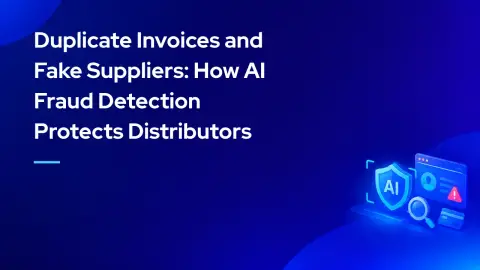

A distributor's accounts payable team handles hundreds of invoices a week. Most are fine. A few are not: the same invoice sent twice, a supplier that does not really exist, or a bank account that quietly changed last Thursday. Each one looks small on its own. Together, they can drain real money, and nobody notices until the month-end review, if then.
This article explains the two common problems, why busy teams miss them, and how AI fraud detection in your ERP can catch them early, in plain terms.
Problem 1: the duplicate invoice
Duplicate invoices are rarely a crime. Most are honest mistakes. A supplier emails an invoice, then posts a copy, then sends a reminder. Someone in your team pays each one. Sometimes a single digit changes, a date moves or a “0” becomes an “O”, and the copy looks new enough to slip past a basic check.
The cost is real even when the intent is innocent. You pay twice, then spend weeks chasing a refund, and the supplier relationship gets awkward.
A simple “same invoice number” check catches only the easy cases. The harder ones look like this:
- The same invoice, typed with a different number format
- The same goods and amount, billed twice under two different invoice numbers
- The same invoice, sent by two different people at the supplier
- A small change in amount, such as a rounded figure, on a repeat bill
Catching these takes more than an exact match. It means comparing the supplier, amount, date and items together, and checking against invoices that have already been paid, not only the ones still open. Whichever system you use, ask whether it does this, and how it tells your team about a likely duplicate.
Problem 2: the fake supplier
A fake supplier is different. It is created on purpose. Someone sets up a vendor with a plausible name, a believable address and a bank account, then sends invoices for work or goods that were never delivered. Sometimes it is an outsider. Sometimes it is someone inside the company.
A related risk is a real supplier whose bank details are changed by a fraudster. An email arrives that looks like it is from your supplier, asking you to pay a new account from now on. If nobody checks, the next payment goes to the wrong person.
Fake suppliers are hard to spot because each invoice, taken alone, looks normal. The warning signs are in the pattern around it.
Why busy teams miss them
Nobody is careless. The system around them is stretched.
- Volume. Hundreds of invoices leave little time to compare each one with history.
- Memory. A person remembers the big suppliers, but not every small vendor or every invoice from last quarter.
- Spreadsheets and inboxes. Invoices arrive by email, post and portals. Checking all of them against each other by hand is slow.
- Trust. A familiar name or a polite email lowers our guard.
- Speed. Month-end pressure pushes teams to approve first and check later.
How AI fraud detection helps
Think of it as a very careful assistant that reads every invoice and compares it with everything it has seen before. It never gets tired, and it does not skip the small ones. Here is what it typically looks at:
- It reads the invoice. The system picks out the supplier, invoice number, date, amounts, items and bank details, even from a scanned page or a PDF.
- It compares with history. It checks the invoice against past invoices, purchase orders and goods received notes. Does this match something you actually ordered and received?
- It looks for near matches. It spots invoices that are almost the same, even when the number, date or format changed.
- It checks the supplier. It looks at when the supplier was created, who created it, whether the bank account is shared with another vendor, and whether details changed recently.
- It spots odd patterns. Round amounts, invoices just under an approval limit, unusual timing, or a supplier suddenly billing far more than usual.
- It flags, and a person decides. The system raises a flag with a clear reason. A person reviews it and chooses to pay, hold or investigate.
That last step matters. AI should help your team look at the right invoices first. It should not make the final call on its own.
What this looks like in real life
Imagine an email arrives that looks like it is from a regular supplier. It says their bank account has changed and asks you to pay the new one from now on. Someone updates the supplier record. The next invoice looks perfectly normal: right supplier, right amount, right purchase order. A busy team might pay it without a second thought. The system, though, flags the bank account change on the supplier record. Your team calls the supplier on a number you already had on file, and finds out the email was fake.
Now imagine a supplier record that has sat unused for a long time. Suddenly it receives a purchase order far larger than anything it has handled before, and its details match those of a member of staff. Nothing in the order itself looks wrong. The pattern does. The system flags it for your team to review, and someone asks the right questions before the order goes any further.
Warning signs at a glance
Here are the signs a good system watches for, and what each one may mean.
| Warning sign | What it may mean | What the system compares |
|---|---|---|
| A supplier record whose bank account was changed | Possible impersonation of a real supplier | Change history on the supplier record |
| A supplier sharing details with staff or another vendor | Possible internal fraud | Supplier details across vendor and staff records |
| A brand-new or long-idle supplier suddenly receiving a large order | Possible fake supplier | Supplier history and typical order size |
| An amount or unit price far above normal | Overbilling or error | Past prices and amounts for the same supplier |
| A user voiding or deleting far more documents than usual | Possible misuse, or routine clean-up that needs checking | The user's own activity history |
| An amount above the fraud limit set in the ERP | A payment that needs a second look | The configured fraud limit |
Get ready before you switch it on
AI works best on clean foundations. A few things to sort out first:
- Tidy your supplier list. Remove duplicates, close old vendors, and keep bank details up to date.
- Match invoices to orders. Detection is strongest when purchase orders and goods received notes are in the same system as invoices.
- Set approval rules. Decide who reviews a flag, how fast, and what happens if a payment is on hold.
- Control who can change vendor details. Require a second person to approve any new vendor or bank change, and confirm changes by calling a known number, not by replying to an email.
- Keep a trail. Record who approved what and why, so you can answer questions later.
Be realistic
AI fraud detection is not a magic shield. Expect some false alarms at first, such as an honest repeat bill that looks suspicious. That is normal. Your team marks them as fine, and can tell the system not to raise the same flag again. It also cannot replace good habits, like checking bank changes by phone and keeping duties separate, so that one person does not set up suppliers and approve payments.
Measure your own results. Track how many duplicates you catch before payment, how long flagged invoices take to review, and how much money you avoid paying twice. If the numbers do not improve, the cause is usually your data or your process, not the technology.
Where your ERP comes in
Fraud checks work best when invoices, purchase orders, receipts and supplier records all live in one place. Not every ERP covers every check in this article, so ask any provider for a demo using your own invoices.
In Globe3 ERP, the Fraud Alerts screen lists flagged items with a severity, a risk score and a plain-language reason. Examples include a changed supplier bank account, supplier details shared with staff or other vendors, unusual amounts and unit prices, and a user voiding or deleting far more documents than usual. An AI investigation suggests a next step, but the reviewer decides. Alerts are review signals, not proof of fraud.
Quick questions
Will AI stop all fraud?
→ No. It reduces the chance of fraud slipping through, and it helps your team focus on the riskiest invoices. Good controls and human judgement still matter.
Does it pay or block invoices by itself?
→ It should not. A well-designed system flags an invoice and gives a reason. A person decides.
What if it flags a good invoice?
→ Your team clears it, and can tell the system not to raise that flag again.
Do we need clean data?
→ The cleaner your supplier list, orders and receipts, the better the results.
Conclusion
Start with the money you cannot see. Duplicate invoices and fake suppliers are quiet problems. They hide in the volume of daily work, and by the time someone notices, the payment has usually gone out.
A system that reads every invoice, remembers every supplier and flags what looks odd gives your team time to look at what matters. People still make the final call, but they review a short list of real concerns instead of searching through the pile. Checks happen before the money moves, not after.
If you would like to see how this could work with your own invoices and suppliers, talk to the Globe3 team and bring a few real examples.